
Download Arm Workout – Free Android Fitness App, Bodyweight Training, 30-Day Challenge, Toning, Strength, Dumbbells, Mat
Overview
The Arm Workout app is a free Android application developed by Stay Fit With Samantha, designed to help users build stronger, more toned arms through a structured 30-day challenge. The core purpose of the app is to guide individuals through daily workouts that require only 10 to 15 minutes of commitment each day. These workouts are bodyweight-based, eliminating the need for complex gym equipment. Users are encouraged to use minimal tools—specifically dumbbells and a mat—making it accessible for home-based fitness routines.
The app targets individuals seeking to improve their upper body strength, enhance physical endurance, and achieve visible toning without requiring access to a fitness center. It is particularly suited for beginners or those who prefer low-impact, consistent training. The program aims to support long-term fitness habits by promoting daily engagement and tracking progress over time. Real-world usage includes home workouts, morning routines, post-work sessions, or quick daily breaks for physical activity.
Designed with simplicity and consistency in mind, the app supports users in maintaining motivation through structured daily challenges and built-in progress monitoring. While the developer did not provide additional details about the app’s technical background or development history, its focus on accessibility and user-friendly design suggests a strong emphasis on usability and engagement.
Key Features & Capabilities
- 30-Day Arm Challenge – A structured daily workout plan designed to progressively build strength and endurance over a month. Users follow a consistent routine to track improvements and stay motivated.
- Bodyweight-Based Exercises – All workouts rely on bodyweight movements, reducing the need for specialized equipment. This makes the app ideal for users without access to gym facilities.
- Minimal Equipment Requirements – Only dumbbells and a mat are needed, allowing users to perform exercises at home or in small spaces.
- Progress Tracker – A built-in feature that enables users to monitor their performance, consistency, and physical changes over time.
- Customizable Reminders – Users can set daily alerts to maintain routine adherence and stay on schedule with their fitness goals.
- Simple Interface – The app features a clean, intuitive layout that allows users to start workouts with just a few taps, minimizing setup time and cognitive load.
These capabilities support real-world use cases such as daily home training, fitness habit formation, and consistent physical engagement for beginners. The combination of structured programming and user-friendly navigation helps users stay committed to their fitness journey without feeling overwhelmed.
User Interface, Workflow & Performance
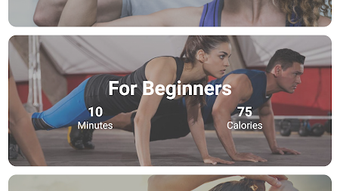
The Arm Workout app features a clean and minimal interface, optimized for ease of navigation on Android devices. Users can access workout plans, track progress, and manage reminders through a straightforward layout with clearly labeled buttons and visual cues. The workflow is designed to be intuitive: users open the app, select their current challenge day, and begin the session with minimal steps.
Navigation is streamlined, with essential functions like starting a workout, viewing the schedule, and checking progress accessible from the main screen. The app’s performance is expected to be efficient for its purpose, as it relies on lightweight content delivery and does not require high processing power. However, exact performance details were not specified by the developer.
Stability and resource usage patterns are not publicly documented. General software behavior suggests that the app operates smoothly on standard Android devices with moderate RAM and storage. The developer did not specify CPU or RAM consumption, so users should expect typical performance for a fitness tracking app of this nature.
Compatibility & System Requirements
The Arm Workout app is designed for Android operating systems. It is available as a free download, with no reported version number or file size details. The developer did not provide specific system requirements, including minimum RAM, processor speed, or storage needs.
Compatibility information is limited to the Android platform. Users should ensure their device runs a current version of Android to support the app’s functionality. The developer did not specify whether the app supports older Android versions or requires a specific API level. Installation size is not disclosed, but based on the app’s description, it likely requires minimal storage space due to its focus on simple workout routines and tracking.
Exact system requirements were not listed. Users are advised to check the app’s listing on the Google Play Store for updated compatibility details.
Pros and Cons
Pros
- Free to download and use, making it accessible to a broad audience.
- Bodyweight-focused workouts require no gym membership or expensive equipment.
- Designed for beginners with simple, easy-to-follow routines.
- 30-day challenge promotes consistency and long-term habit formation.
- Progress tracker and reminder system enhance user accountability.
- Minimal interface reduces learning curve and improves usability.
Cons
- No information on compatibility with older Android versions.
- Exact system requirements and file size are not disclosed.
- Limited to Android platform; no support for iOS or desktop systems.
- Does not include video demonstrations or real-time form feedback.
- Performance and resource usage details were not provided.
FAQ Section
Is Arm Workout available for iOS devices?
The app is currently available only for Android. There is no information on iOS compatibility or future plans for an Apple version.
Do I need to buy dumbbells to use the app?
Yes, the workouts require dumbbells and a mat. However, the app is designed to work with minimal equipment, so users can use household items as alternatives if needed.
Is the app safe to use for beginners?
Yes, the app is specifically designed for beginners with low-impact, bodyweight-based exercises. The workouts are intended to be safe when performed with proper form.
How often should I use the app?
The 30-day challenge recommends daily use for 10 to 15 minutes. Consistent daily practice is key to achieving the desired results.
Can I use the app offline?
While the developer did not specify offline functionality, many similar fitness apps operate offline after initial download. Users should check the app’s settings or permissions to confirm availability without internet access.
Final Thoughts + CTA
The Arm Workout app offers a practical, accessible solution for individuals aiming to strengthen and tone their arms through a structured, daily routine. Its focus on bodyweight exercises, minimal equipment needs, and built-in progress tracking makes it a valuable tool for beginners and casual fitness enthusiasts. The app’s clean design and ease of use contribute to a positive user experience, supporting long-term engagement without overwhelming users.
While certain technical details like system requirements, file size, and offline capabilities remain unspecified, the app’s core functionality is well-aligned with its stated purpose. For those seeking a free, no-frills way to improve upper body strength and fitness consistency, this app delivers real value.
Download Arm Workout now and start your 30-day journey to stronger, more defined arms.







